 |
Terrain Rasterizer
Conversion of GPS data into 2.5D topographic maps
|
|
Terrain Rasterizer
Conversion of GPS data into 2.5D topographic maps
|
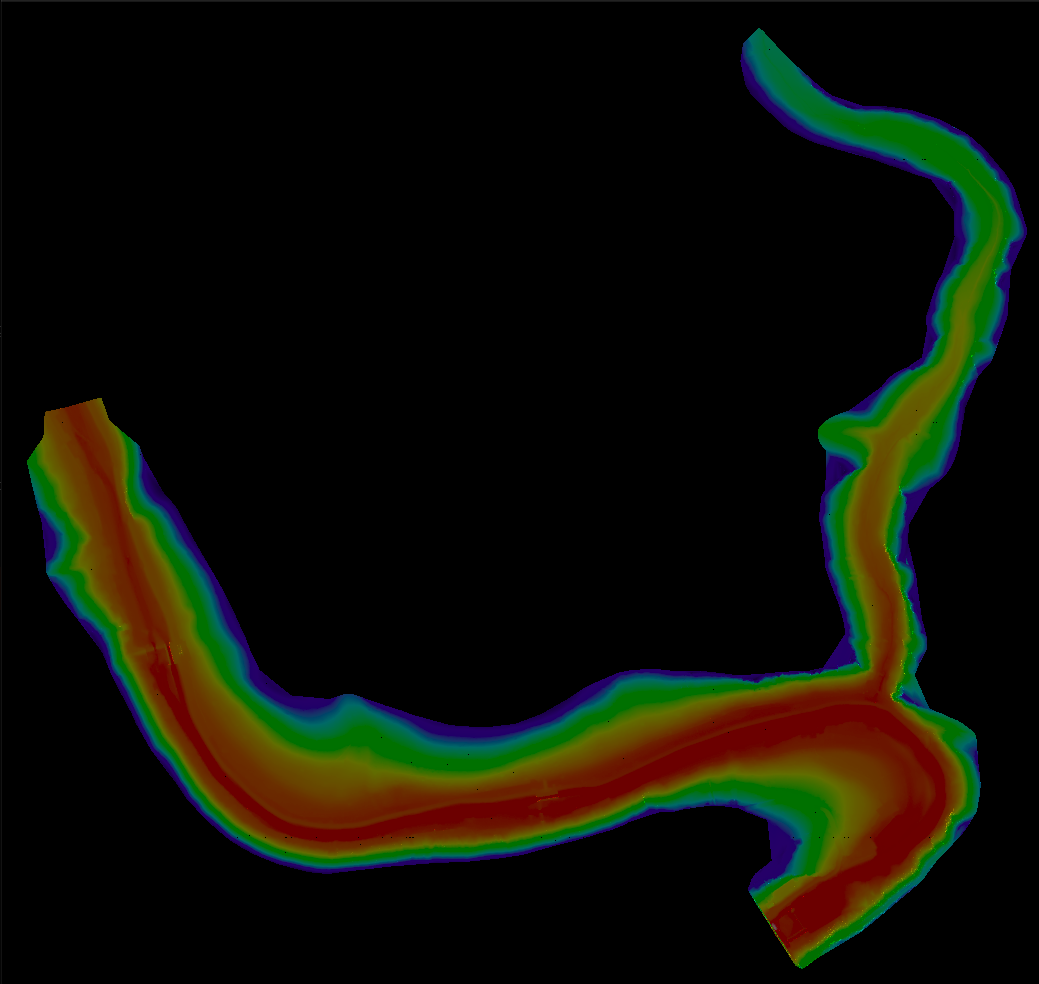
Terrain Rasterizer is a C++ application designed to transform raw geographic terrain data (latitude, longitude, altitude) into a visual 2D raster image. The project simulates a top-down view of the terrain, applying color mapping based on altitude and 3D shading to create a realistic Digital Elevation Model (DEM) visualization.
The process is divided into a pipeline of distinct steps:
Here is a breakdown of the key files and their responsibilities:
src/main.cpp**: The entry point of the application. It orchestrates the entire workflow: reading arguments, calling the loader, running triangulation, and triggering image generation.src/MNT.cpp (Modèle Numérique de Terrain)**: Handles data ingestion. It reads the input text file and uses the PROJ library to convert coordinates from WGS84 (Lat/Lon) to Lambert93 (X/Y meters).src/triangulation.cpp**: Contains the logic to build the mesh. It uses the delaunator-cpp library to perform the Delaunay triangulation on the cleaned data points.src/quadtree.cpp**: Implements the QuadTree data structure. This is an optimization engine. It recursively splits the 2D space into four quadrants (NW, NE, SW, SE) to store triangles, allowing for efficient spatial queries.src/rasterizer.cpp**: The rendering engine. It:This project uses CMake. Ensure you have CMake, a C++ compiler, and the PROJ library installed on your system.
Run the provided build script or use standard CMake commands:
Run the executable create_raster with the path to your data file and the desired image width.
Example:
This command will read data/terrain_data.txt, generate a 1000-pixel wide image, and save it as output.ppm.
The program produces a file named output.ppm in the working directory. A PPM (Portable Pixel Map) file can be opened by most image viewers (like GIMP, IrfanView, or standard Linux image viewers).
 1.9.8
1.9.8